
Booking a taxi with Blic Taxi is simple
From downloading the app to reviewing your completed ride, here is what using Blic Taxi looks like step by step.
Download the app
Install Blic Taxi from the App Store or Google Play. The app is free to download for iPhone and Android.
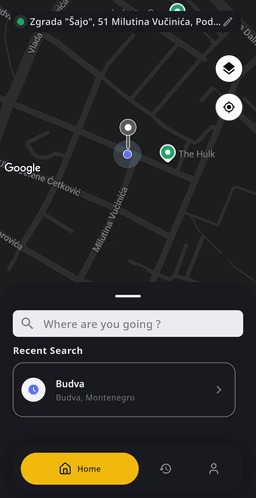
Create or access your account
Sign in to your Blic Taxi account so your rides and trip history stay connected to you.
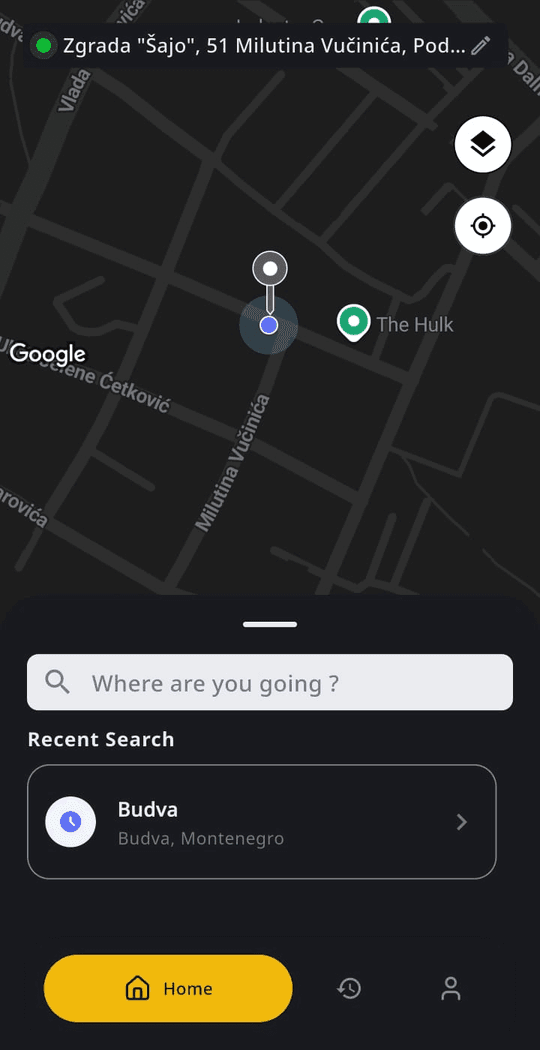
Allow location access or choose pickup manually
Let the app use your current location, or move the pin to the exact spot where you want the driver to pick you up.
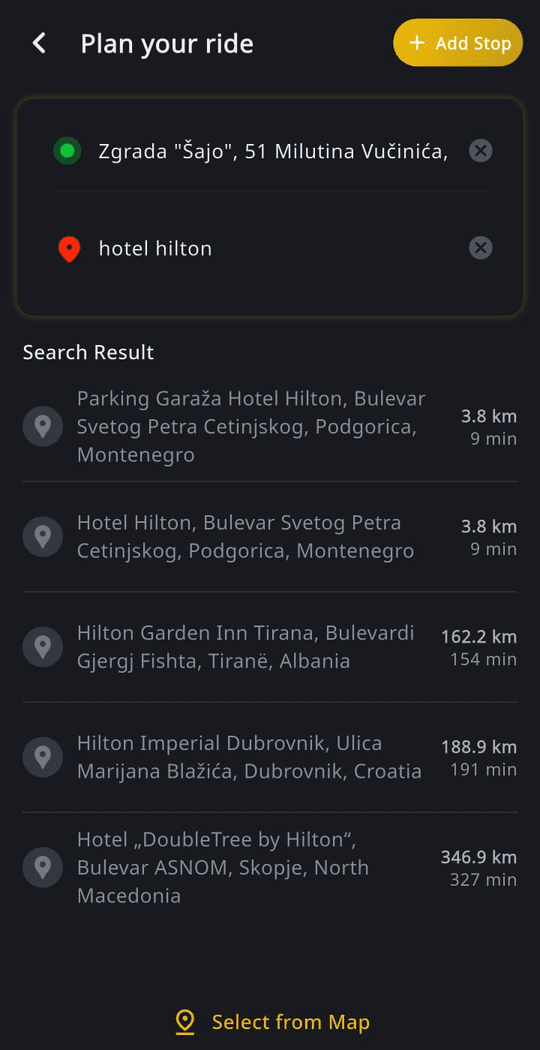
Enter your destination
Type or select where you are going. A clear destination helps the driver plan the journey.
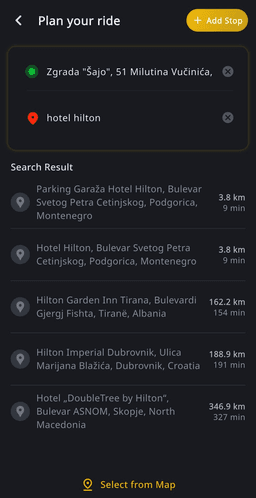
Review available trip information
Before sending the request, review the ride details shown in the app for your journey.
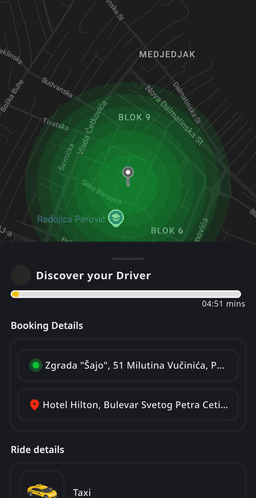
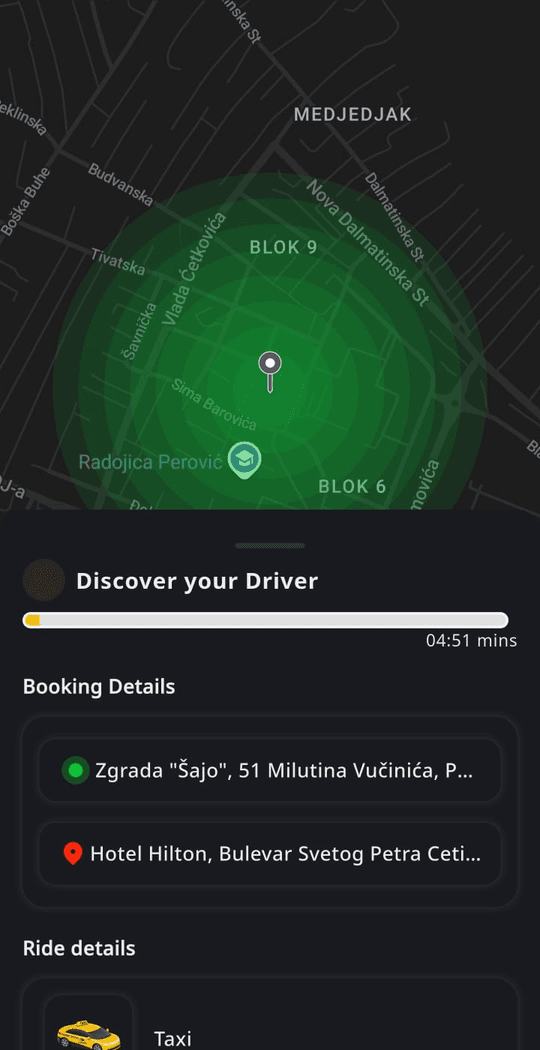
Request a nearby driver
Send your request. The app looks for a nearby online driver who can accept your ride.
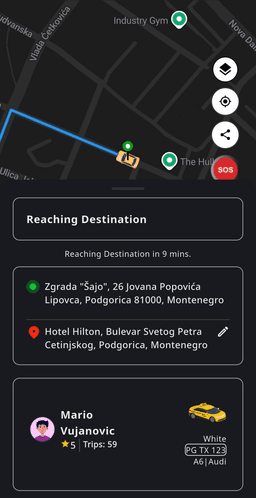
Follow the driver live
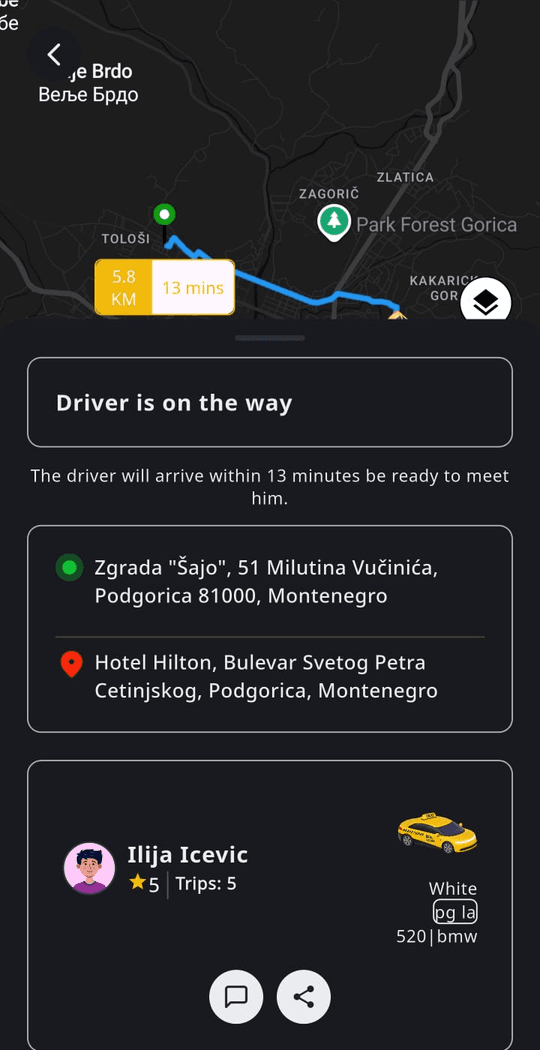
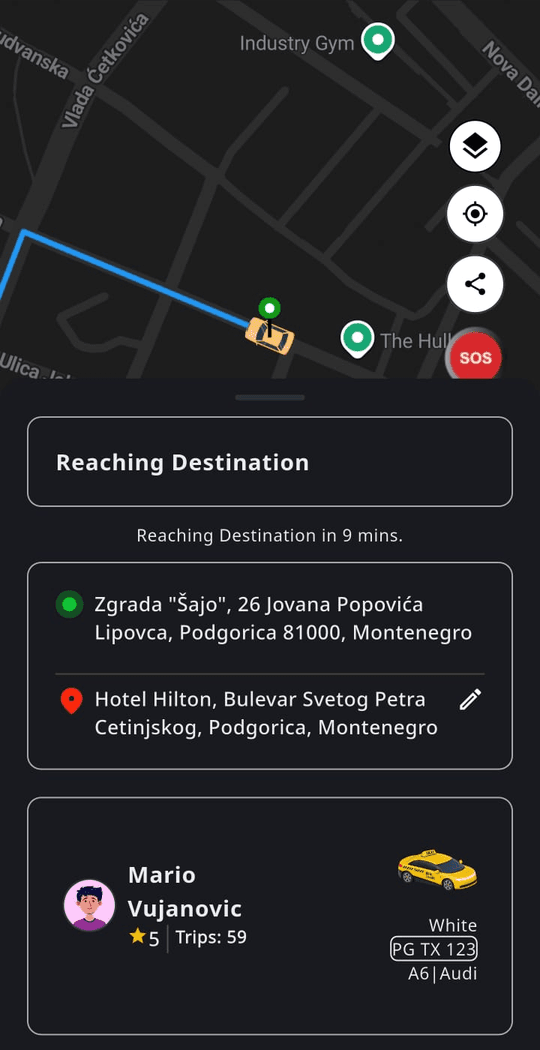
Once a driver accepts, follow the vehicle on the map as it approaches your pickup point.
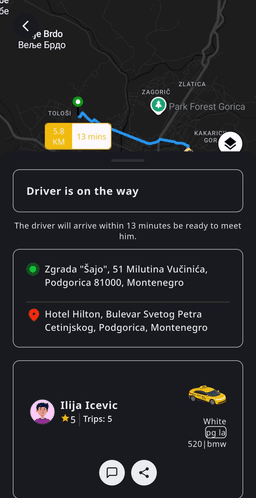
Complete the ride
Enjoy the journey to your destination and finish the ride in the app.
Review ride history
Open your ride history whenever you want to review previous trips and their details.
Driver availability may vary depending on your location, time and nearby online drivers.
How to book a taxi in Montenegro with the Blic Taxi app
Booking a taxi in Montenegro used to mean finding a local number, explaining where you are standing and hoping the car that stops is the one you called. Blic Taxi replaces that with a map. You open the app, confirm the pickup pin, add where you are going and send the request to licensed drivers who are online nearby. From that moment the ride is visible on your screen: who accepted, where the car is and when it is close.
The steps above are the same whether you are ordering a taxi in Budva after dinner, leaving a hotel in Kotor, heading to a meeting in Podgorica or arriving at Tivat Airport with luggage. The app works in 10 languages, so the interface, the addresses and the ride details read the same way for a local passenger and for a visitor using it for the first time.
There is no phone call, no dispatcher and nothing to negotiate at the roadside. The request goes straight to drivers; the app tells you when one accepts.
Getting the pickup point right
The pickup pin is the single most important detail of a ride. When you open Blic Taxi, it places the pin at your current location. Check it against what you see around you: if the pin has landed on the wrong side of a busy road, inside a pedestrian zone, behind a hotel or on a beach promenade, drag it to the nearest spot where a car can actually stop.
This matters most in the places visitors love: the walls of Kotor Old Town, the promenade in Budva, the marina in Tivat and the arrivals area at either airport. A pin on an accessible road saves the driver a search and saves you a wait. If your location needs a hint, add a short note such as "main reception" or "outside the pharmacy".
You can also set a pickup point manually before you get there — useful when you are planning a departure from a restaurant or an early ride to the airport and want the address ready in advance.
What happens after you send the request
Your request is offered to licensed drivers who are online near your pickup point. When one accepts, the app shows the driver and vehicle details and the car starts moving towards you on the map. Live tracking is not a decoration: it tells you whether to wait inside or head to the kerb, and it lets you confirm the registration and car description before you get in.
Availability depends on where you are, the time of day and how many drivers are online nearby. A request is not a guarantee of an immediate car — on a summer evening in Budva or when several flights land together in Tivat, assignment can take longer than on a quiet weekday morning. Allow a sensible buffer for anything time-critical and, if your plans change, cancel the request early so the driver is free for the next passenger.
During the ride the destination and route stay visible, so you can follow the journey and see it progress as expected. Drivers may reasonably choose a route based on traffic or road access; the point of the map is clarity, not second-guessing.
After the ride: receipts and ride history
Every completed ride is saved in your ride history. Open it to see the route, the timestamps and the fare details for any past journey — helpful when you are splitting a cost with friends, checking which hotel entrance the driver used last time, or simply remembering how you got somewhere.
For work travel, download the PDF receipt. It includes a route map, timestamps, a fare breakdown and payment information, so an expense claim needs no reconstruction from memory or from a card statement days later. Frequent travellers usually save the receipt right after the ride, while the trip is still fresh.
Airports, transfers and booking ahead
For arrivals at Tivat Airport or Podgorica Airport, request the ride once you have your luggage and have reached the arrivals area, then set the pin at an accessible point outside the terminal. The airport pages on this site explain the pickup spots that work best at each one.
Longer trips between towns — Tivat Airport to Kotor, Podgorica to Budva, Bar to Ulcinj — work the same way as a city ride, and can be booked up to 30 days ahead when you want the transfer arranged before you travel. Browse the taxi transfers section for the route you need; each route page explains the road, the pickup and what to expect.
Frequently asked questions
No. The whole booking happens in the app: set the pickup pin, add the destination and send the request. Licensed drivers who are online nearby see it, and the app tells you when one accepts. You only speak to the driver if a pickup detail needs clarifying.
Yes. The app is available in 10 languages — English, Montenegrin, Russian, German, Ukrainian, Polish, French, Turkish, Spanish and Albanian — and the pickup and destination are communicated on the map, so there is nothing to explain by phone.
Once a driver accepts, the app shows the driver and vehicle details and the car's live position. Compare the registration and car description with what pulls up before you get in.
No. Availability depends on your location, the time of day and how many licensed drivers are online nearby. Peak summer evenings, big events and busy airport arrivals can mean a longer wait, so build in a buffer for anything time-critical.
Yes. Transfers between towns and to or from the airports can be arranged up to 30 days ahead in the app. For ordinary city rides, most passengers simply request when they are ready to leave.
Yes. Every completed ride is stored in your ride history, and you can download a PDF receipt with the route map, timestamps, fare breakdown and payment information — the format most employers accept for expense claims.

Ready to try it yourself?
Download Blic Taxi and request a licensed local driver from your phone.
Free to download for iPhone and Android.



Scan the QR code with your phone to open the download page.
Or visit blictaxi.app/download